Most modern CMSs and websites require a database to display content and operate conveniently. It is convenient because all the information is stored in one place, protected, easily portable and takes up minimal disk space. Before creating a database, special software that will do the work must be installed on the server - the so-called database server. The most common options are MySQL and PostgreSQL.
Creating a database server in ISPmanager
- Log in to the ISP panel as the root user
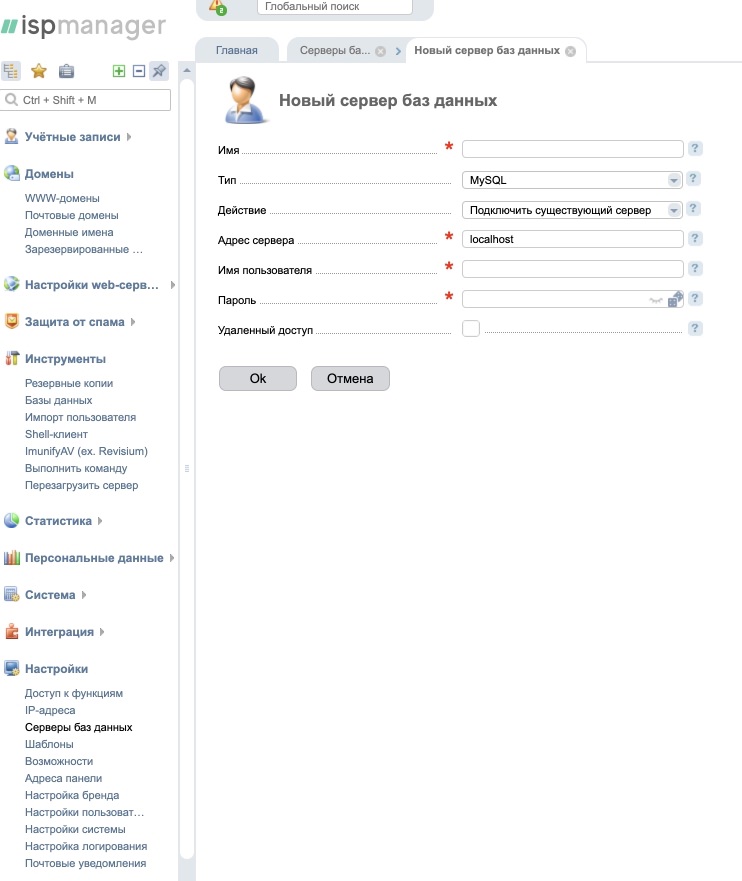
- Go to Settings -> Database servers -> Create
- Specify the name to be displayed in the panel, the server type, a user with full administrative rights and their password.
Creating a database in ISPmanager
- Log in to the ISP panel as the root user
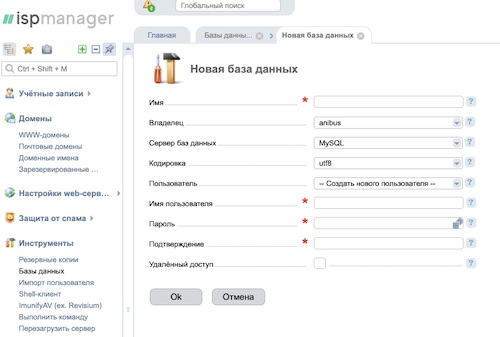
- Go to Tools -> Databases -> Create
- Specify the database name, select the user who will work with this database or create a new one, set their password, and specify other parameters if needed.