The nano text editor is completely free and is available by default after installing the Ubuntu Linux operating system.
If you have a different OS, you first need to install it before using it.
Installing nano on CentOS, Debian
Log in to the console via SSH as root and enter the command to install the editor:
For CentOS - # yum install nano
For Debian - # apt-get install nano
The nano editor interface
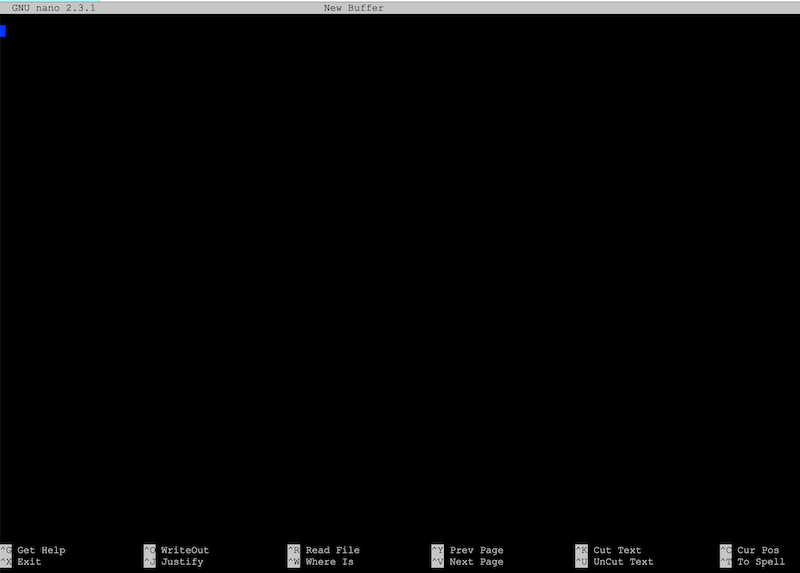
At the very top you can see the current version of the editor, and at the bottom some quick keys.
^ - this symbol stands for the Ctrl key on Windows or Control on MacOS.
# nano filename.txt - the command to open the desired file
Useful nano editor shortcuts
Ctrl(Control)+X - close nano
Ctrl(Control)+O - save changes to the file
Ctrl(Control)+W - search within the current file
Ctrl(Control)+R - insert the contents of another file into the open file
Alt+U - undo the last action
Alt+A - select text
Alt+6 - copy the selected text to the buffer
Ctrl(Control)+U - paste text from the buffer
m+\ - go to the very first line of the file
m+/ - go to the very last line of the file
m+6 - copy the current line to the buffer
Home - go to the beginning of the current line
End - go to the end of the current line